Real solids
Exact B-rep geometry on the Open CASCADE kernel, with STEP in and out.
 NIOMATIC
Coming soon
Describe the robot. AI designs its mechanics, electronics and code — as one living project you can see, shape and build.
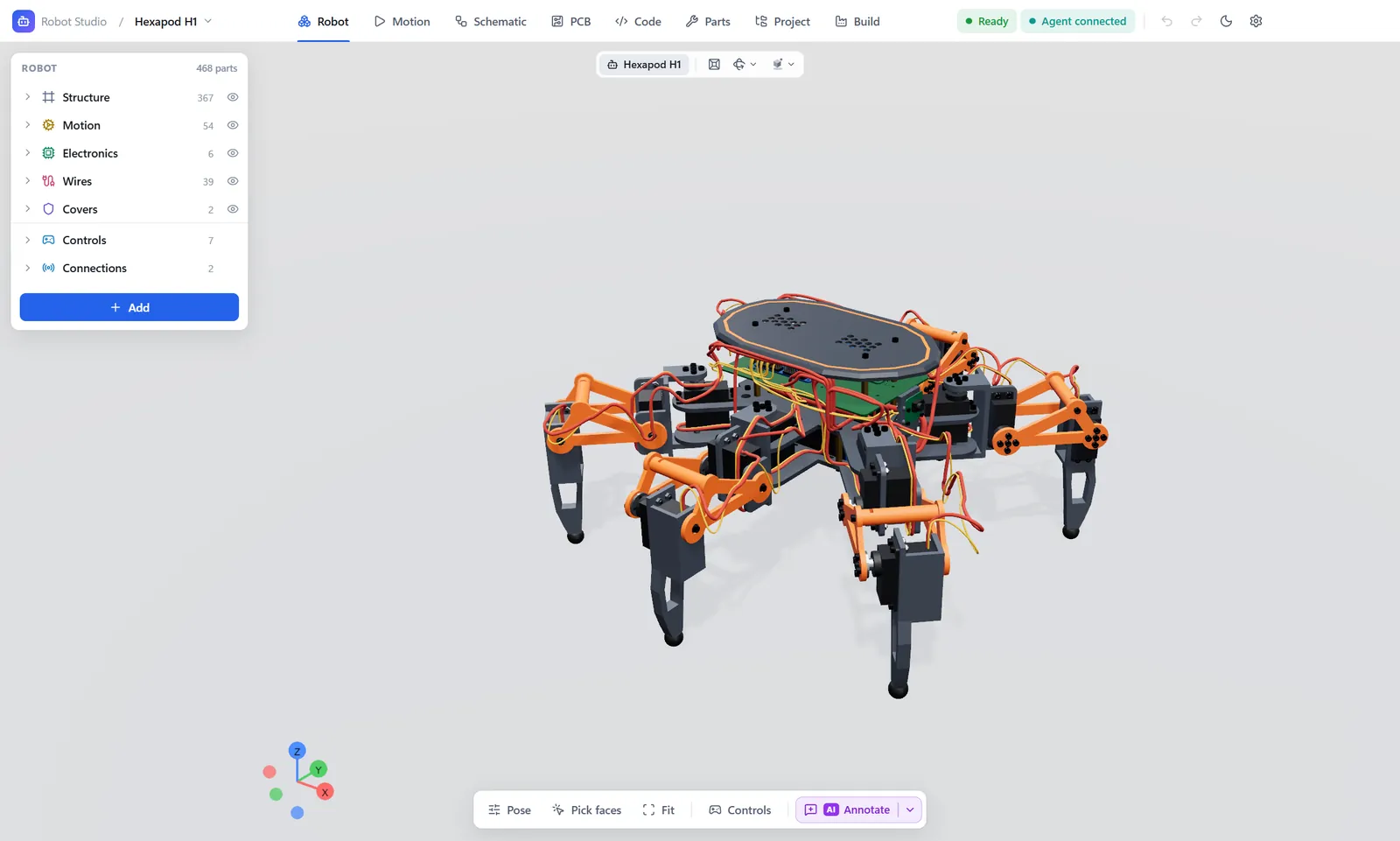
Every joint. Every circuit. Every line of code. Every file the workshop needs. Designed together by AI, as one project — while you watch, and with you in command.
Connect an AI agent and it designs the entire robot — mechanics, schematics, circuit boards, actuators, firmware and control software — as one system. Every part knows every other.
Swap a motor, and the bracket, the wiring, the circuit board and the firmware follow.
After every change the AI tests collisions, joint travel, electrical rules and balance — and fixes what it finds.
Drawings, print files, cutting files and circuit boards come out of the same project, ready for the workshop.
Building a robot used to mean a mechanical CAD, an electronics suite, a code editor, a simulator and a slicer — none of them talking to each other. Robot Studio brings it all together, built for robots and run by AI.
A six-legged walker. An arm that picks and places. A motorcycle that stands up and walks. Robot Studio is built for the whole range — and for the robots no one has imagined yet.
Wheels, frame and joints that transform — designed as one machine.
Six axes, planned and checked through their full reach.
Frame, motors, flight controller and code — together.
Cameras and on-board vision, designed in from the start — so the robot knows what is in front of it.
Wi-Fi, Bluetooth or the internet. Map a key, a gamepad or an app to any motion.
Mechanics, motion, electronics, circuit boards and code are not separate files that drift apart. They are views of a single model — change one, and the rest follows.
Connect any AI agent to Robot Studio’s built-in server. It designs, tests its own work and fixes what it finds — every change appearing live in front of you, and every change undoable.
Every custom part comes with its drawing, material, tolerances and the files each machine needs. Every circuit board comes with everything a fab house asks for.
Sliced for your printer, simulated layer by layer, sent with one click.
Clean outlines for acrylic, wood and sheet metal.
Solid models and drawings for the mill and the lathe.
Dimensions, ISO tolerances and materials on every sheet.
Exact B-rep geometry on the Open CASCADE kernel, with STEP in and out.
Drag a leg and it moves only the way its joint allows.
Every pair of parts tested as true solids, after every change.
Cables laid by physics: soft, bending round every joint.
Stand it up, walk it, push it — in the MuJoCo engine.
Actions of the firmware on lanes, each foot’s path traced in light.
Bearings, screws, nuts and pins — found by the code printed on them.
Several boards per robot, each with its own pages.
KiCad’s own interactive router, built right in.
Stack-ups, copper pours, teardrops and via stitching.
KiCad’s ERC and DRC, marked right on the sheet and the board.
Gerber, ODB++, IPC-2581 and assembly files in one click.
Monaco and clangd, with the keys a professional expects.
Compile for the board and upload, without leaving the studio.
Sliced for your printer, simulated, then sent.
Dimensioned from the solid, with ISO tolerances and materials.
Point at anything and tell the AI what to do with it.
Every change — yours or the AI’s — can be taken back.
Pull any workspace onto its own screen.
A calm, professional studio, day or night.
Open CASCADE for solids. KiCad for circuit boards. MuJoCo for physics. Each one trusted by engineers worldwide — brought together behind a single, effortless studio.
We are putting the finishing touches on the first release. Follow Niomatic to be among the first to try it.
Follow on GitHub